How to Hide Likes on Instagram: Step-by-Step Guide
 Aiden Parker··11 min read
Instagram settings let you hide like counts on your own posts, reels, or posts you view. You can change this before sharing a post or later from its menu. The setting hides the visible total, but it doesn’t remove likes, stop people from liking content, or hide every engagement signal. You’ll also see where the setting applies, what changes on desktop, and when it’s better to leave likes visible.
What Instagram’s like controls do
Instagram’s like controls hide the number of likes shown on posts and reels. The post stays published, and people can still tap the heart button. The main change is that the public count is replaced with less detailed wording, such as a username and others.
You can control two different things:
- Your own posts and reels: Hide the like count on one post, or set a default for new posts.
- Posts and reels you view: Hide visible like counts across content in your feed and other areas.
These controls don’t make your account private. They also don’t hide likes from Instagram’s internal systems, and they don’t remove the post’s likes. The person who owns a post may still have access to engagement information through Instagram’s tools.
The most common misconception is that hiding likes prevents anyone from liking the post. It doesn’t. People can still like, unlike, and interact with the content. The setting only changes what count other viewers can see.
Instagram may move settings after an app update. If a label looks different, search Instagram’s Help Center for hide like and view counts rather than following an old screenshot. Meta’s official Instagram instructions cover the current control and its basic use.
How to hide Instagram likes
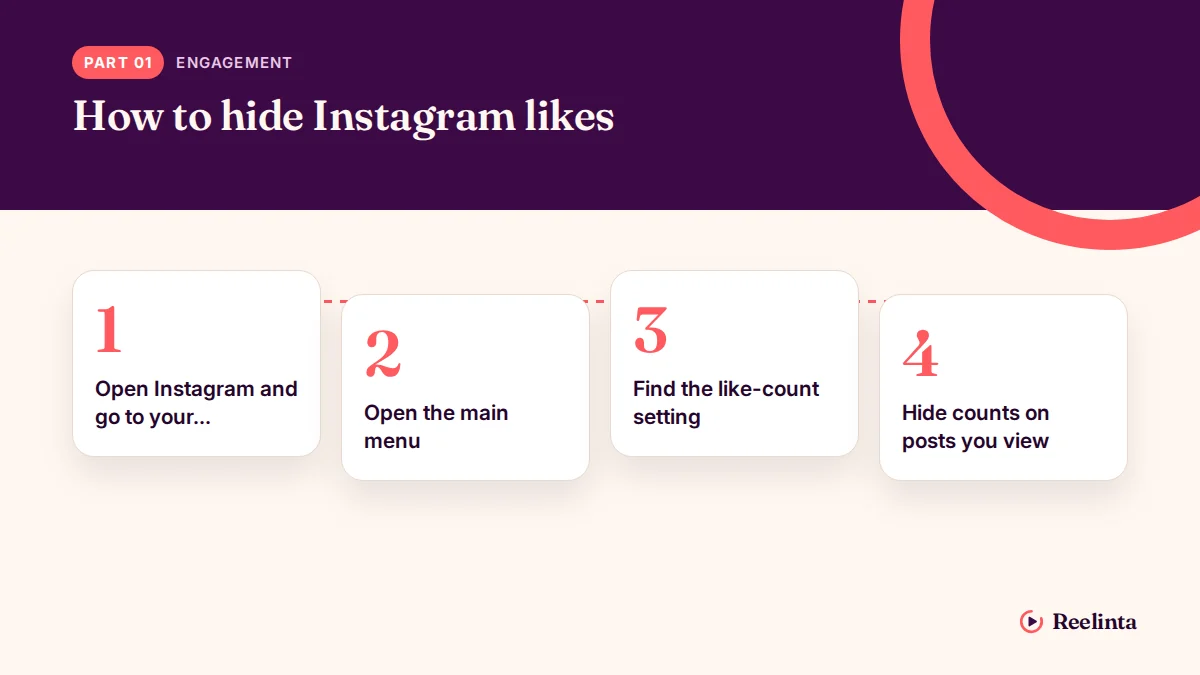
Use the Instagram mobile app for the clearest path. Menu names can vary slightly between iPhone and Android, but the control works in the same general way.
-
Open Instagram and go to your profile. Tap your profile picture in the bottom-right corner. Check that you’re signed into the account whose posts you want to change.
-
Open the main menu. Tap the three-line menu in the top-right corner. Choose Settings and activity if that option appears. On some app versions, Instagram may place the relevant control under a privacy or content section.
-
Find the like-count setting. Use the settings search box and type like counts if you can’t see the option. Choose the result for hiding like and view counts, or open the post-sharing and visibility controls shown by Instagram.
-
Hide counts on posts you view. Turn on the option that hides like and view counts on posts and reels. This changes what you see while browsing; it doesn’t change the display for everyone else.
-
Hide a count on an existing post. Return to your profile and open the post. Tap the three dots above it, then choose Hide like count. If you don’t see that choice, open More options or update the Instagram app.
-
Hide a count before publishing. Create a post or reel and continue to the final sharing screen. Open Advanced settings, then turn on Hide like and view counts on this post before you share it.
-
Check the result. Open the post again and look below the image or video. You should no longer see the public number. If you manage a professional account, use the post’s insights area when you need your own performance information.
The important judgment is choosing the correct control. If you want other people to stop seeing the count on one post, change that post; if you want less visible engagement across your feed, change the viewing preference instead. Don’t delete or archive a post just to hide likes.
Instagram like settings at a glance
The right option depends on whether you’re changing your own content or the posts you see. These settings don’t have a timer; they stay in place until you change them again.
| Situation | What to use | How long | What to watch for |
|---|---|---|---|
| Hide likes on one existing post | Post menu > Hide like count | Until changed | The post remains public |
| Hide likes before a new post | Advanced settings on the sharing screen | For that post | Check the switch before sharing |
| Hide likes on a new reel | Reel sharing screen > advanced controls | For that reel | The label may mention views too |
| Hide counts while browsing | Like and view count preference | Until changed | This affects what you see, not every viewer |
| Show a hidden count again | Post menu > Unhide like count | Immediately after changing it | The public number can appear again |
| Review performance privately | Instagram Insights, when available | While data is available in the account | Insights and public counts are different |
If a setting is missing, first check the post’s three-dot menu and the app’s settings search. Instagram can test different layouts, so the wording may not be identical on every account.
Details that keep settings correct
Start with the smallest change that matches your goal. If one post feels too competitive, hide that post’s count instead of changing the viewing preference for your whole account. If seeing totals affects your browsing, hide counts on posts you view and leave your own publishing choice separate.
Check the setting at the last screen before you share a new post. The advanced control usually applies only to that post, so it won’t automatically change older posts or every future upload. For an existing post, open its own menu rather than assuming the global preference changed it.
After changing a setting, check the post from your profile and then view a different account’s content. A hidden count on your screen may come from your personal viewing preference, not from the post owner’s choice. That difference matters when you’re checking whether your audience can still see a number.
Leave likes alone when you need a visible social signal for a campaign, giveaway, or public announcement. Hiding the count can reduce comparison, but it also removes a quick sign that some viewers use to judge activity. The trade-off is less pressure versus less visible proof of engagement.
A costly mistake is hiding counts on your own feed and assuming your posts are hidden for everyone. You may simply be hiding what you see, while visitors can still see the number. Check the individual post menu and ask someone who doesn’t manage the account to view it before relying on the change.
Instagram like problems and fixes
Most problems come from using the viewing preference when you meant to edit your own post, or from looking for a setting that Instagram has moved. Use the post menu first when the goal concerns one upload.
| What you notice | What it usually means | What to do first |
|---|---|---|
| You still see like totals | Your viewing preference is off | Search settings for like counts and turn it on |
| Others still see a count | You hid counts only for your own view | Open the post’s menu and choose Hide like count |
| The option is missing | The app layout or account feature differs | Update Instagram, then check the post menu again |
| A new post shows a count | The advanced switch wasn’t enabled | Edit the post’s available settings and check its menu |
| You can’t find Insights | The account type or feature access differs | Check account settings and Instagram’s current help guidance |
Don’t repeatedly tap unrelated privacy options. That can change who sees the post without changing its like count.
Instagram rules and account limits
Instagram’s like controls are visibility settings, not a way to erase engagement. Hiding a count doesn’t remove likes, prevent new likes, or make a public post private. A private account is a separate choice that controls who can see posts after approval.
The control also isn’t a promise that every number disappears from every place. Instagram may show engagement information to the account owner through its own tools, and some account types can have extra professional measurements. Check the specific post and the account’s available insights rather than treating the public display as the full record.
If you’re managing content for a business, client, contest, or regulated promotion, keep a record of the setting you used and follow the campaign’s written rules. Don’t claim that hidden likes mean a post has no engagement. For account access, reporting, or a disabled feature, use Instagram support instead of trying to bypass the restriction.
No special license or technical equipment is needed for ordinary like-count controls. Stop and contact Meta support if Instagram asks for identity checks, your account is locked, or a setting change could affect ownership or advertising records.
Keep your Instagram settings useful
Review your choice when your goal changes. A personal account may prefer hidden counts for everyday browsing, while a business account may want public counts on selected posts and private performance review through Insights.
Keep the Instagram app updated through the Apple App Store or Google Play. Updates can change menu names, and an old app may not show the same controls as the current version. If the option disappears, search the settings page for like, view, or count before changing privacy settings.
There’s no fixed expiry for a hidden like count. It remains hidden until you choose the unhide option, change the viewing preference, or Instagram changes the feature. If a count suddenly appears, check the individual post and your account-wide setting separately.
When hiding Instagram likes isn’t best
Hiding likes isn’t the best choice when public engagement helps people trust a campaign, creator partnership, or community announcement. In that case, leave the count visible and review the deeper results privately through Instagram’s available insights.
It’s also a poor fit when you’re trying to make a private account. Hiding likes doesn’t limit the audience. Use Instagram’s privacy controls and approve followers instead.
Don’t rely on it to solve harassment or unwanted attention. A hidden number won’t stop comments, messages, mentions, or people saving and sharing content. Restrict, block, report, or remove the person when the problem is their behavior rather than the visible count.
If you need a permanent record of performance, export or record the relevant account data while it’s available. A public count is only one signal, and hiding it doesn’t preserve a separate report for you.
Frequently asked questions
Can people still like a post when likes are hidden?
Yes. Hiding the count only changes the visible number. People can still tap the heart, unlike the post later, and interact with it in other ways. The post’s owner may still see engagement information through Instagram’s account tools. Use a private account or audience controls when your real goal is limiting who can see the post.
Why can I still see some like counts on Instagram?
You may have hidden counts for your own posts, not for posts you view. The two controls are separate, and a count can also appear in a place that uses different display rules. Check your account-wide viewing preference, then open the individual post menu. Don’t assume one hidden count changes every post in the app.
How long does it take to hide Instagram likes?
The change normally appears immediately after you save the setting or select the post option. This assumes the app has a working connection and accepts the change. If the number remains, close and reopen Instagram, check the post again, and confirm that you changed the correct account or post.
Is it safe to hide likes on Instagram?
Yes, hiding likes is a normal Instagram visibility control and doesn’t delete the post. It can still be a poor business choice if visible engagement is part of your promotion or reporting. It also doesn’t protect you from abusive comments, unwanted messages, or account theft, so use the matching safety control for those problems.
What happens if I unhide likes on Instagram?
The public like count can become visible again on that post. Existing likes aren’t removed just because you hid the number, so unhiding normally reveals the count Instagram has available. If the number doesn’t return, check whether you changed the viewing preference instead of the post’s own visibility setting.
Can I hide likes on Instagram for every post at once?
Not reliably for every existing post with one switch. Instagram offers account-wide controls for what you see, while your own posts can have separate visibility choices. Check each post’s menu when you need a specific result. For future uploads, review the advanced sharing control before you publish.
Does hiding likes make my Instagram account private?
No. Like visibility and account privacy are different settings. A public account can hide a like count while its posts remain public. If you want to limit the audience, change the account privacy setting and review your followers. Hiding likes alone won’t stop people from viewing, sharing, or commenting on public content.
Conclusion
Before your next post, decide whether visible engagement helps your message or distracts from it. If you’re unsure, watch how followers respond and adjust your preference when your needs change. A quieter feed can feel more comfortable, but keeping likes visible may help you learn what connects with your audience.
Aiden Parker writes about Instagram strategy, features, and growth, covering everything from captions and hashtags to algorithms, analytics, and audience engagement. His content explores Reels, Stories, Highlights, profile optimization, and Instagram for Business, offering practical insights to help creators and businesses improve their content, reach the right audience, and build a stronger presence on the platform.