Instagram Stories: The Complete Guide
 Aiden Parker··13 min read
Instagram Stories are full-screen photos and short videos that disappear after 24 hours, shown at the top of your followers’ app. They are where you stay close to the people who already follow you: quick updates, polls, questions, behind-the-scenes moments and links. Highlights then keep your best Stories on your profile for good. This guide covers both, from size and frequency to ideas, stickers, viewers and Highlights, and links to a detailed guide for each step.
What Stories are for
Reels are mostly for reaching new people. Stories are mostly for the people who already follow you, which makes them the best place to build trust, start conversations and move followers toward a sale or a booking. Because they disappear, they also suit content that would feel too casual or too temporary for your grid.
Instagram ranks Stories separately from the feed. According to Instagram’s own explanation of ranking, the Stories you see first come mostly from accounts you interact with most, which is why replies and reactions matter so much here. Meta adds more detail for each surface in its Transparency Center.
| Format | Main job | Audience |
|---|---|---|
| Stories | Connection, conversation, timely updates | Followers who already engage |
| Highlights | Permanent answers on your profile | New visitors deciding whether to follow |
| Reels | Discovery | Mostly non-followers |
| Feed posts | Lasting value people save | Followers and some non-followers |
Story basics: size, length and how many to post
Stories are vertical. Designing for the full screen, and keeping text away from the top and bottom where profile details and reply bar sit, is the simplest way to make them look professional. Our Instagram Story size reference lists the dimensions and safe zones in one place.
How many to post is less about a magic number and more about keeping each frame worth tapping through. Too few and you disappear from your followers’ top row; too many and people start tapping past. Our guide on how many Stories to post a day suggests a starting range by account type and how to tell when you are posting too much.
| Account type | Typical daily Stories | Focus |
|---|---|---|
| Creator | 3-7 on active days | Personality, process, polls |
| Small business | 2-5 | Products, offers, behind the scenes |
| Service provider | 2-4 | Proof, FAQs, booking reminders |
| Brand launching something | Series of 5-10 across a day | A clear sequence with one goal |
How long can a Story be?
A video clip in a Story can run up to 60 seconds. A photo shows for about 7 seconds by default. Clips shared into a Story from another place, such as a feed video, can be cut shorter. Shorter frames are usually easier to tap through, so use the full minute only when the frame needs it.
Story ideas and templates
Most Story fatigue comes from not knowing what to post. A few repeatable formats solve that: a daily “this or that”, a behind-the-scenes clip, a quick tip, a customer question answered, a sneak peek. Our list of Instagram Story ideas gives you 25 formats that keep viewers tapping forward rather than away.
Templates save time and keep your Stories recognisably yours. Our free Instagram Story templates cover the formats you will use most, from announcements to Q&A answers.
A simple weekly Story rhythm
| Day | Story idea | Sticker to use |
|---|---|---|
| Monday | Plan for the week or a new product | Poll |
| Tuesday | Quick tip in three frames | Quiz |
| Wednesday | Behind the scenes | Emoji slider |
| Thursday | Answer a follower question | Question box |
| Friday | Offer, booking slots or a link | Link |
| Weekend | Something personal or a customer feature | Mention or reaction |
Stickers, links and close friends
Stickers are what make Stories interactive. Polls, quizzes, question boxes and sliders turn a passive view into a tap, and those taps tell Instagram your followers care about your Stories. Our guide to Instagram Story stickers explains each one and when to use it.
The link sticker is the easiest way to send people from Instagram to your website, shop or booking page. Here is how to add a link to an Instagram Story, including how to make people actually tap it.
Close Friends lets you share Stories with a smaller list you choose. Many creators and businesses use it for early access, offers or more personal updates. Our guide to Close Friends Stories explains how it works and how to use it without making other followers feel left out.
Viewers and views
Stories are one of the few places Instagram shows you exactly who watched. Here is how to see who viewed your Instagram Story, and what the order of viewers does and doesn’t mean. The short version: the order reflects interaction and activity, not who looks at your profile most, and reading too much into it wastes time.
More useful than who watched is how many stayed. Exits and taps forward show where people lost interest; replies and sticker taps show what held them. Our guide to Instagram Story engagement explains which numbers to watch in Insights and how to improve them.
When Story views drop
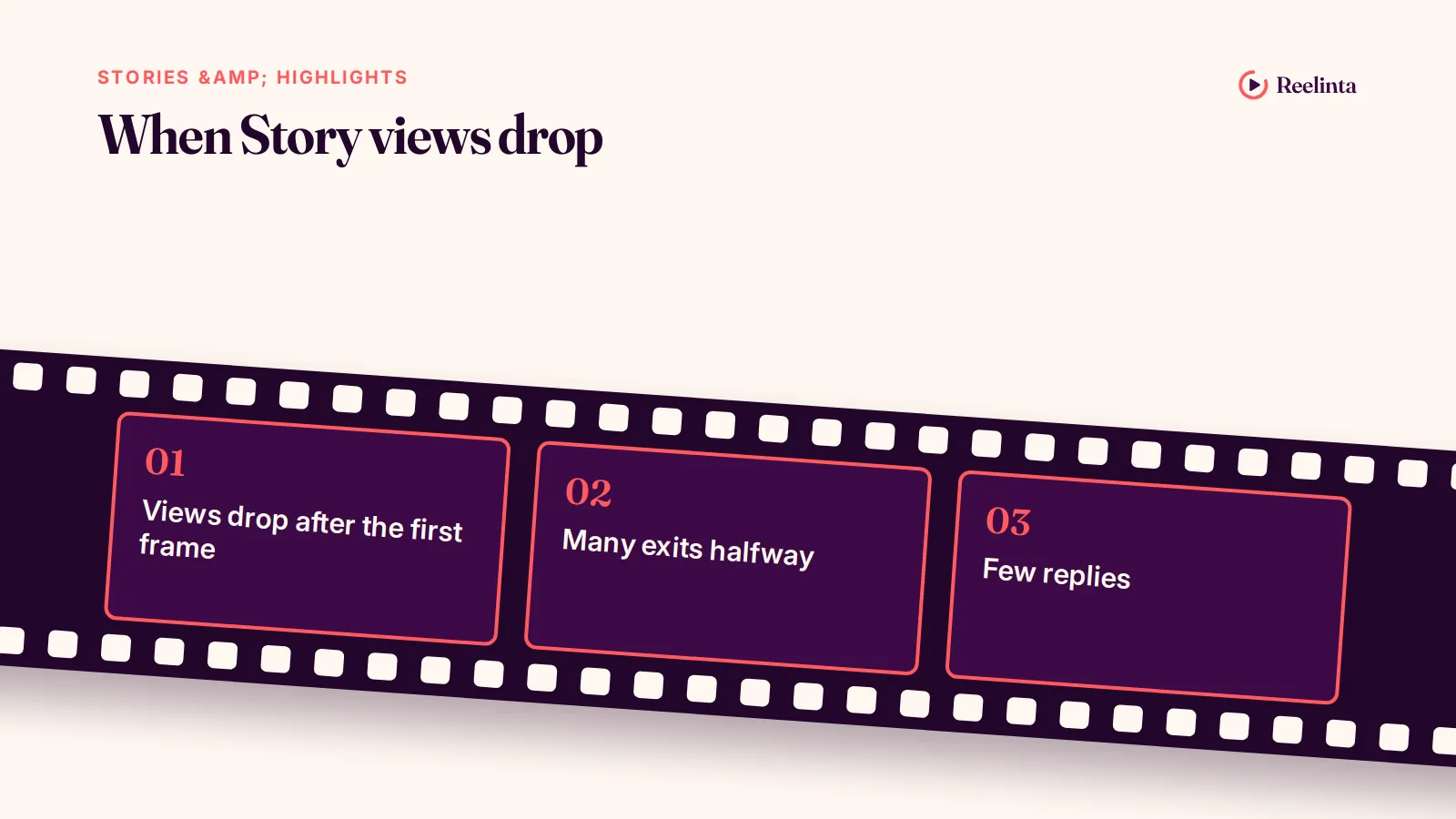
Story views usually fall for one of a few reasons: posting too many frames in a row, long gaps between Stories, frames that look like ads, or simply fewer followers interacting with your account. Our guide on why your Story views are low walks through each cause and how to check which one applies.
To turn things around, focus on interaction rather than volume. Our practical guide on getting more Instagram Story views covers the sequence, sticker and timing changes that bring viewers back. Instagram’s creator team shares related advice in its tips for improving your reach.
| What you see | Likely cause | First fix |
|---|---|---|
| Views drop after the first frame | Weak opening frame | Start with the most interesting frame |
| Many exits halfway | Sequence is too long | Cut to the frames that matter |
| Few replies | Nothing to respond to | Add one poll or question per sequence |
| Views lower than usual for days | Fewer interactions recently | Post a run of interactive Stories |
Story views come from your followers, so the most reliable way to grow them is to grow the audience that sees them. If your account is new and your follower count is still small, our Instagram Followers service explains how a small, gradual start works and what it can’t do; the interactive Stories above are what turn those followers into viewers.
Story sequences that move people to act
A single Story frame rarely persuades anyone. A short sequence, where each frame earns the next tap, can take a follower from curious to ready to buy or book. The structure below works for products, services and launches.
- Frame 1, the hook: show the problem or the result, with a short line of text. “Our most-asked question this week” or a before-and-after shot.
- Frame 2, the context: explain why it matters, in one sentence.
- Frame 3, the interaction: a poll or quiz that lets people place themselves. “Has this happened to you?”
- Frame 4, the proof: a customer message, a result or a quick demonstration, shared with permission.
- Frame 5, the action: one link sticker or one instruction, such as “Reply SIZE and we’ll send the guide.”
Keep each frame readable in about three seconds. If a frame needs more time, it is probably two frames. And keep one goal per sequence: a sequence that asks people to vote, visit, reply and buy usually gets none of the four.
Using replies as a sales channel
Every Story reply lands in your DMs, which makes Stories one of the most natural ways to start private conversations with interested followers. Asking people to reply with a word (“Reply PRICE”) is often more effective than a link, because a conversation lets you answer their real question. Reply quickly and personally; a reply that sounds automated undoes the trust the Story built.
How Stories work with your Reels and posts
Stories are strongest when they support the rest of your content rather than repeat it. When you publish a Reel or a carousel, share it to your Story with a reason to watch now: a question, a teaser of the best slide, or the story behind it. That gives followers who missed it in the feed a second chance, and sends interested viewers to the full post.
Stories also feed your future posts. Poll results tell you which topic to cover next, question boxes give you ready-made FAQ carousels, and the frames people reply to most often are good candidates for a Reel. Used this way, Stories become your research tool as well as your conversation tool.
Story ideas by type of account
| Account | Story ideas that fit |
|---|---|
| Café or restaurant | Today’s special, kitchen prep, a “which dessert?” poll, opening hours reminder |
| Fitness coach | Quick form tip, client check-in (with permission), weekly challenge, Q&A |
| Online shop | Packing orders, restock alerts, product close-ups, size questions answered |
| Service provider | Before and after, a day on a job, process steps, booking slots left |
| Creator | Behind the scenes of a Reel, opinions on a trend, audience polls, personal updates |
Privacy and Story settings
You control who sees each Story. You can hide your Stories from specific accounts, limit replies to people you follow or turn them off, and share selected Stories only with your Close Friends list. For a business account, keep replies open: they are one of the most valuable things a Story produces. If you receive spam replies, restrict or block those accounts rather than closing replies for everyone.
Highlight covers and names
Highlight covers appear as small circles under your bio, so simple icons in your brand colours read better than photos. Keep names short enough to show in full on a phone, usually one word, and order Highlights by what a new visitor needs first: who you are, what you offer, proof, then how to buy.
Using Stories to reach beyond your followers
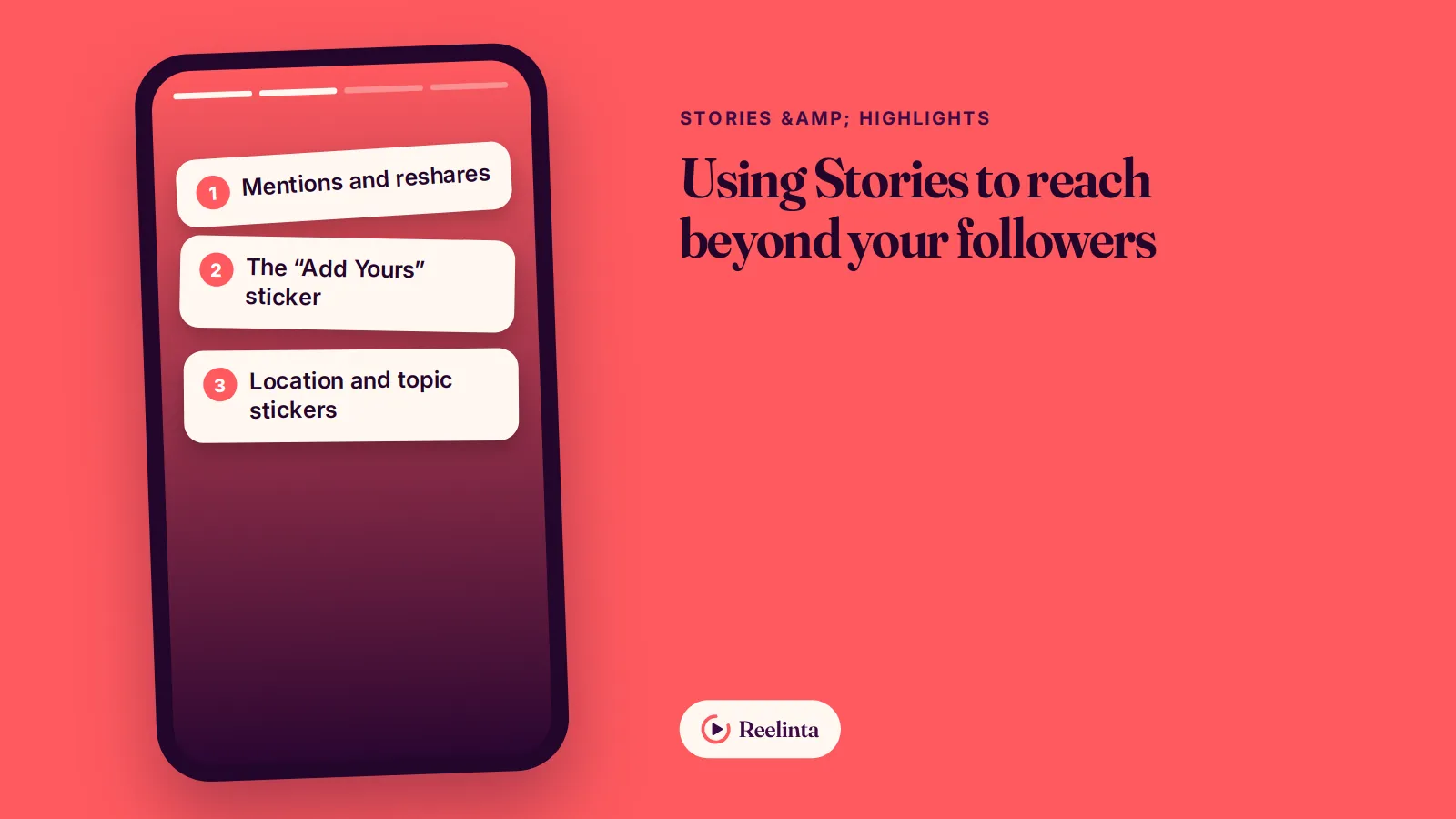
Stories are mainly for your existing audience, but a few features can carry them further. None of them replaces Reels for discovery, yet together they add a steady trickle of new viewers.
- Mentions and reshares: when you mention another account, they can reshare your Story to their own followers. Mention partners, suppliers and customers when it is genuinely relevant, and reshare when they mention you.
- The “Add Yours” sticker: it invites viewers to respond with their own Story on the same prompt, which can spread a format well beyond your followers.
- Collaborations: joint Story takeovers with a complementary account introduce you to an audience that already trusts the host.
- Location and topic stickers: relevant location stickers help local businesses appear to people browsing nearby content.
- Sharing your Reels to Stories: gives followers a nudge to watch, and their engagement helps the Reel travel further.
Measure these by follows and profile visits from Stories in your Insights, not by views alone. A small number of new followers who came through a partner’s reshare is often worth more than a large spike from a trend that has nothing to do with your topic.
Common Story mistakes
| Mistake | What happens | Better approach |
|---|---|---|
| Posting 20 frames at once | People tap through or exit | Spread Stories across the day |
| Text in the top or bottom edge | Covered by the profile line or reply bar | Keep text in the middle area |
| Only reposting feed posts | Followers have already seen them | Add new context or behind-the-scenes |
| No interaction for weeks | Fewer followers see your Stories first | Add a poll or question regularly |
| Every frame is an ad | Viewers tune out | Mix value, personality and offers |
| Highlights never updated | Old offers confuse new visitors | Review Highlights every quarter |
Planning and batching Stories
Stories feel spontaneous, but the accounts that do them well usually plan the outline and leave room for the moment. A simple approach: decide the week’s themes on Monday, prepare the frames that need design (offers, tips, announcements) in one session, and capture the casual frames as the week happens.
- Keep a Story ideas list on your phone and add to it whenever a customer asks a question.
- Prepare branded frames in advance for recurring formats such as tips, FAQs and offers, using your templates.
- Save drafts of finished Stories so you can post them at the right time.
- Schedule where it helps: planned announcements can be scheduled through Meta’s business tools; casual updates are better posted live.
Stories for businesses: what to post
For a business, Stories are where customers get to know the people and process behind the product. They answer the quiet questions that stop people buying: is this real, is it for me, how does it work, and what happens after I pay?
| Customer question | Story that answers it |
|---|---|
| Is this a real business? | Behind the scenes: the team, the workspace, the process |
| Is it for someone like me? | Customer messages and results, shared with permission |
| How does it work? | A short demo or a step-by-step sequence |
| What does it cost? | A clear price or “from” price with a link |
| What if something goes wrong? | Your refund, exchange or support process in plain words |
Run the offer frames only after the trust frames. A Story that shows a product being made, followed by one customer message and then a link, will usually outperform a single “buy now” frame.
Measuring your Stories
Story Insights show what happened to each frame. Reading a few numbers consistently tells you more than checking views every hour.
| Metric | What it tells you | What to do |
|---|---|---|
| Reach per frame | How many accounts saw each frame | Compare the first and last frame to see drop-off |
| Forward taps | People skipping ahead | Shorten or rework that frame |
| Exits | People leaving Stories entirely | Make the next frame more interesting, or end sooner |
| Replies and sticker taps | Real interest and conversation | Repeat the format that earned them |
| Link taps | Traffic to your site or shop | Test the wording on the link sticker |
Look at weekly patterns rather than single frames. A frame with many exits is useful information: it shows you exactly where to cut next time.
Story design tips
- One message per frame. If you need to say two things, use two frames.
- Large, short text. Many people read Stories in about three seconds per frame.
- Use your brand colours and fonts so followers recognise your Stories before they read them.
- Keep text in the middle of the screen, away from the profile line at the top and the reply bar at the bottom.
- Turn on captions for any frame with speech, because many people watch with the sound off.
Highlights for profiles and businesses
Highlights keep selected Stories on your profile permanently, just below your bio. For a new visitor, they work like a menu: who you are, what you offer, what customers say, and how to buy or book. Our list of Instagram Highlights ideas gives 35 categories to organise them, and our guide to Highlights for business shows which ones answer customer questions before they ask.
- About: who you are and who you help, in three or four frames.
- Services or Shop: what you sell, with prices or a link.
- Reviews: customer messages and results, shared with permission.
- FAQ: the questions you answer most often in DMs.
- How to order or book: the exact steps, so nobody gets stuck.
Frequently asked questions
How long do Instagram Stories last?
Stories disappear from your followers’ view after 24 hours. You can keep any Story permanently by adding it to a Highlight on your profile.
Do Stories help you reach new people?
Mostly no. Stories are shown mainly to your followers, ranked by how much they interact with you. Use Reels for reaching new people and Stories for staying close to existing followers.
Can people see if I view their Story more than once?
The viewer list shows who watched, but not how many times each person watched.
Should I post Stories every day?
Posting on most days keeps you near the front of your followers’ Story row, but a few interesting frames beat many forgettable ones. Consistency matters more than volume.
Can I schedule Instagram Stories?
Yes. Business and creator accounts can schedule Stories through Meta’s business tools. Planned announcements suit scheduling; casual updates usually work better posted live.
Do Story Highlights expire?
No. Stories added to a Highlight stay on your profile until you remove them, even after the original Story disappears.
What size should an Instagram Story be?
Stories are vertical, full-screen images and videos. Keep important text away from the very top and bottom so it isn’t covered by the profile line and reply bar.
What to do next
- Plan one week of Stories using the rhythm table above.
- Add one interactive sticker to every Story sequence you post.
- Check exits and replies in Insights after a week and cut what people skip.
- Set up four Highlights: About, Services, Reviews and FAQ.
Aiden Parker writes about Instagram strategy, features, and growth, covering everything from captions and hashtags to algorithms, analytics, and audience engagement. His content explores Reels, Stories, Highlights, profile optimization, and Instagram for Business, offering practical insights to help creators and businesses improve their content, reach the right audience, and build a stronger presence on the platform.